



Brochure stands, Display systems
Brochure stand format: A4, A3 or A5?

The stand format determines the legibility and function of the display. We compare when A3, A4 and smaller pockets work best and suggest which Maxi Expo models are worth considering.
When to go for an A3 stand
Choose A3 when the message must be visible from further away or when you present fold-out menus and larger brochures. The range includes the A3 Classic and A3 Puladi info/menu stands with adjustable frame angle and the Montana A3 series, which gives access to materials from both sides.
- A3 catches the eye from further away
- Good for posters and large graphics
- A3 info/menu stands have an adjustable display angle
- Double-sided versions speed up customer service
Uses of A4 stands
A4 stands work well where you deal directly with customers, in receptions and offices. The range includes the A4 Classic information stand (info/menu), the Boston A4 brochure stand, the Columbia A4 brochure stand and the Lincoln A4 brochure stand. The models combine steel or aluminium frames with clear elements, which makes presenting standard brochures easy.
- A4 is a versatile choice for service points
- Clear bottoms make leaflets easier to see
- Solid structures work well in receptions
- A snap frame makes topping up materials easy
When to choose the smaller A5 format
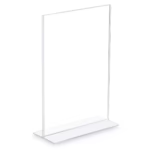
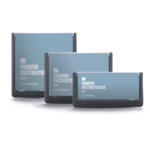
A5 works for menus, price lists, short leaflets and discount cards that sit on a counter or table. In this format we have acrylic stands: the double-sided CRYSTAL A5 acrylic stand with a 6 × 15 cm base, double-sided Vista stands with magnetic panels in portrait and landscape versions, the Prime A5 stand on an aluminium base and the Platinum A5 stand with a slightly tilted frame. These are tabletop displays, not floor stands with pockets.
- A5 works for menus, price lists and short leaflets
- A5 acrylic stands go on a counter, table or reception desk
- Double-sided versions show content on both sides
- Magnetic panels in Vista models make changing the print easy
Mobile and folding stands
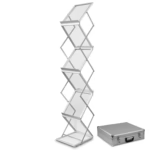
At trade shows and events, mobility matters. The range includes the silver Montana A3 brochure stand in a bag, the silver Montana A3 brochure stand in a case and black versions. For A4 there are the silver Montana A4 brochure stand in a bag, the silver Montana A4 brochure stand in a case and the ZED-UP Lite A4 brochure stand, available with a bag or a case.
- For mobility, choose a variant with a bag or case
- Folding structures speed up transport
- Double-sided stands improve access to leaflets
- Check what the shelves and bottoms are made of
How to match a stand to the display location
Matching a stand to the location means assessing stability, access to materials and how leaflets are topped up. For example, the A3 Classic info/menu stand has a Ø 33 cm base, and the A4 Classic information stand (info/menu) Ø 27 cm. Montana models assemble without tools and have aluminium shelves and clear acrylic bottoms, so they are easy to set up and look good.
- Pay attention to the base diameter and stability
- Choose double-sided models where footfall is high
- Acrylic models make materials easier to read
- Check whether the stand assembles without tools
Frequently asked questions
Is an A3 or A4 stand better for a restaurant?
For a restaurant, choose the format based on how you'll present. A3 works for a menu in a visible spot and for larger graphics, e.g. the A3 Classic or A3 Puladi info/menu stand. A4 suits counters and service points better.
Are Montana stands suitable for trade shows and events?
Montana models come in bag and case versions, which makes transport and quick set-up easy. They have aluminium shelves and clear acrylic bottoms, and the double-sided design lets you show materials on both sides.
How many pockets should an A4 stand have for promotions?
That depends on the number of material versions and the space. If you need many compartments, consider the ZED-UP Lite A4 brochure stand, which has six pockets. With limited space, choose a model with fewer shelves.